Waldo
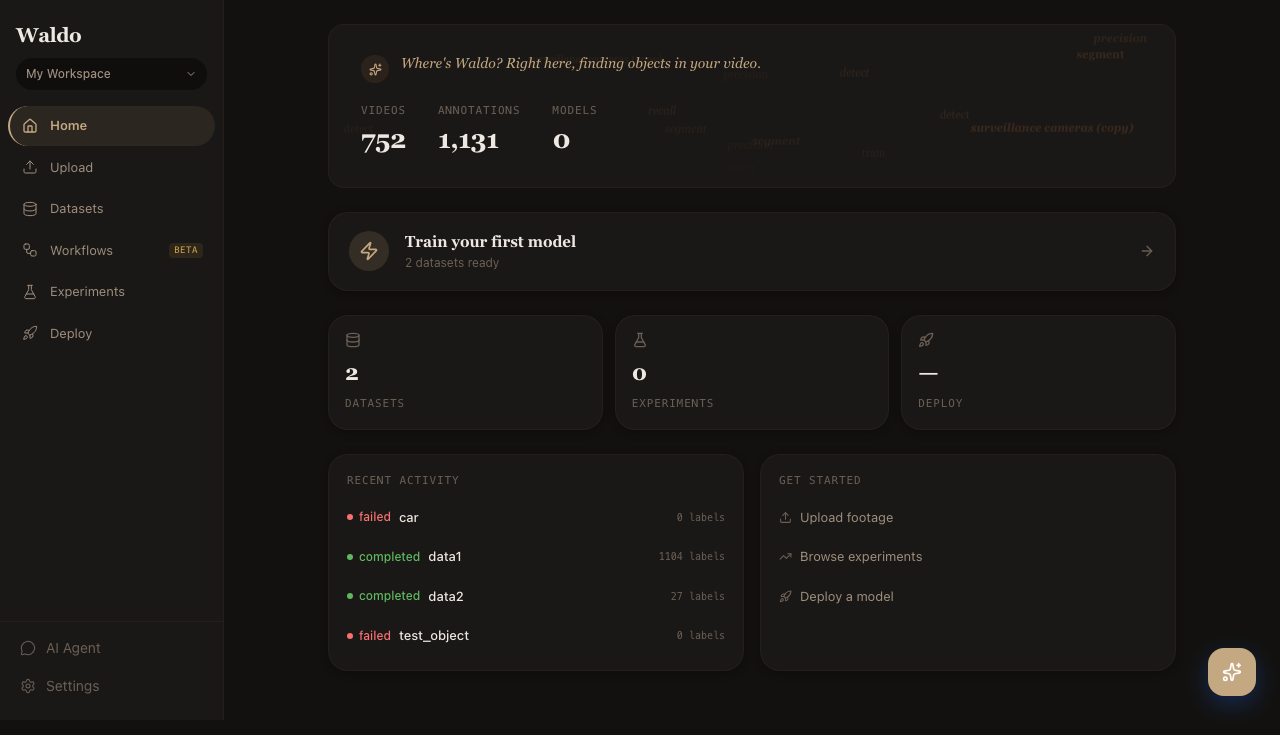
Where's Waldo? Right here, finding objects in your video.
Waldo is a self-hosted ML platform for video object detection at scale. It pairs Meta's SAM 3 (segment anything in video) with Ultralytics' YOLO26 so you can:
- Auto-label raw video footage with text or visual prompts
- Review and refine annotations in a web UI
- Train YOLO26 detectors on the curated dataset
- Deploy the trained model to a serving endpoint, edge device, or Jetson/Pi rig
- Monitor live predictions and feed corrections back into the dataset
The whole pipeline runs in Docker — backend, ML workers, dev UI, and the docs you're reading right now.
Why Waldo
Most labeling tools assume you have humans drawing boxes. Waldo assumes you have an ML model that can usually do the work, and a human who steps in only when the model is wrong. That changes the whole shape of the product:
- The labeler runs first; humans review second. SAM 3 produces the boxes, you fix the ones it got wrong.
- The training loop is short — minutes for a fine-tune, not days.
- Feedback flows back into the dataset automatically — every reviewed frame becomes future ground truth.
- One workspace covers data, models, deployments, and monitoring. No five-tool stack.
The pipeline at a glance
   raw video                    SAM 3                YOLO26
   ─────────  ─►  upload  ─►  auto‑label  ─►  review  ─►  train  ─►  deploy  ─►  monitor
                                       ▲                                            │
                                       └──────────  feedback loop  ◄────────────────┘
Every step has a UI page and an API endpoint — and a local AI agent that drives those endpoints for you. Use whichever you like; they're the same surface.
What's in these docs
- Getting Started — install with Docker, run the quickstart, configure your environment.
- Architecture — services, data model, security model.
- API Reference — every REST endpoint grouped by resource.
- Workflow Blocks — composable blocks for the visual workflow editor.
- UI Pages — guided tour of every page in the web UI, with screenshots and short videos.
- Deployment — Docker-first instructions for Linux, Windows, and edge.
- Development — pre-commit hooks, tests, contributing.
Five-minute path
-
Get a Hugging Face token at huggingface.co/settings/tokens and accept the license on the
facebook/sam3model page. The installer prompts for the token up front; you can also pass it via--hf-tokenor theHF_TOKENenv var. -
Install Waldo — one command, picks the right GPU profile (NVIDIA / Apple MPS / CPU) for you:
# macOS / Linux / WSLcurl -fsSL https://raw.githubusercontent.com/oldhero5/waldo/main/install.sh | bash# Windows PowerShellirm https://raw.githubusercontent.com/oldhero5/waldo/main/install.ps1 | iexFull details (flags, manual install, NVIDIA gotchas) in the Installation guide.
-
Sign in at http://localhost:8000. Dev defaults are
admin@waldo.ai/waldopass— override withADMIN_BOOTSTRAP_PASSWORDfor production. -
Walk through the quickstart — upload a clip, auto-label, train, deploy.
-
Skim the UI Tour to see what every page does, and bookmark the API reference for when you start scripting.
Welcome aboard.