Label & Review
Two pages, one continuous flow: configure a labeling run, then refine the output. SAM 3 produces the boxes, the human refines.
Label page
Route: /label/:videoId or /label/collection/:projectId — Source: ui/src/pages/LabelPage.tsx
Configure and start a SAM 3 auto-labeling job. This is where text prompts become bounding boxes.
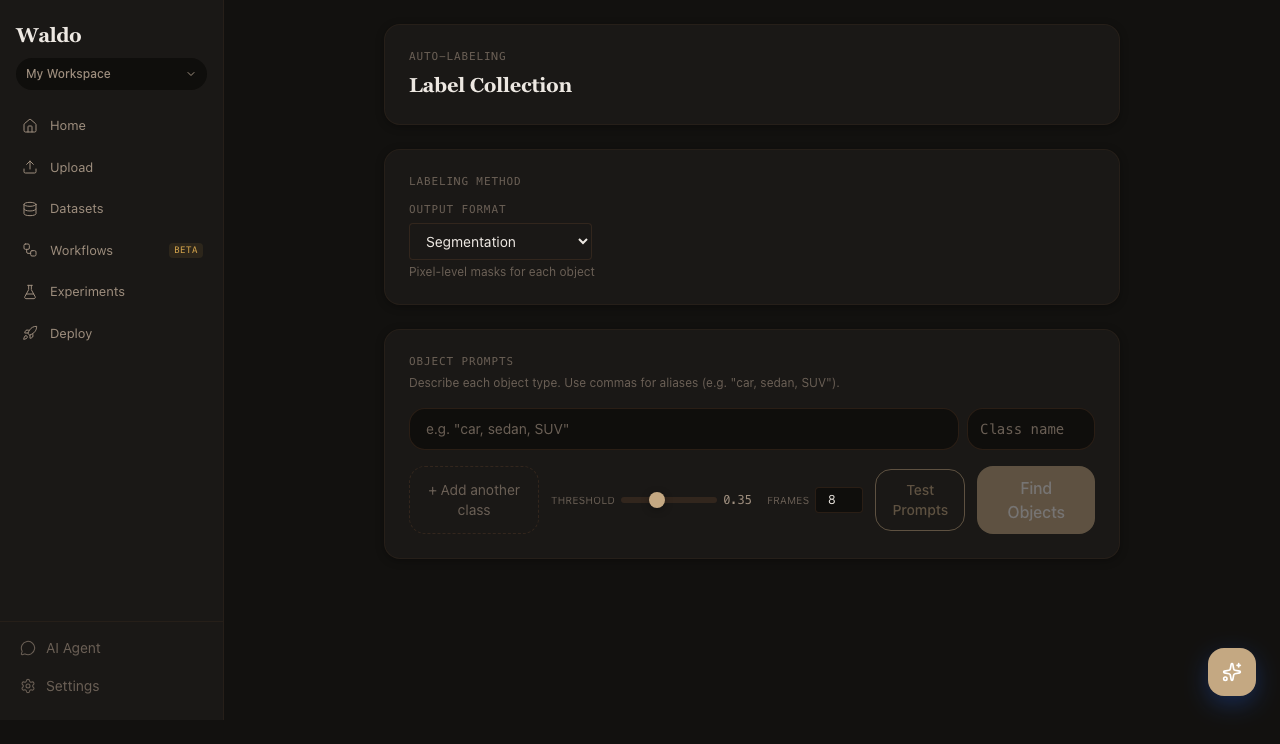
Workflow
- Pick a video (or a whole collection — the route variant
/label/collection/:projectIdruns against every video in a dataset). - Enter prompts, one per line. Each prompt becomes a class. Use natural phrases — SAM 3.1 is grounded by free text, not a closed vocabulary.
- Adjust threshold and resolution.
0.5is a reasonable default; lower it for tiny objects, raise it to suppress false positives. - Preview — runs SAM 3 on a handful of frames and returns base64 JPEGs so you can sanity-check the prompt before committing the run.
- Start labeling. The job is queued to the labeler worker and progress streams over WebSocket. Switch to Review as soon as the first frames complete.
Visual prompts
Toggle to exemplar mode and draw a box around an example object on the first frame. SAM 3 finds visually similar objects across the video. Useful when text is ambiguous (e.g. "the kind of vehicle in this image, but not all vehicles").
Click-to-segment
The fine-grained segmentation tool calls POST /api/v1/label/segment-points on every click. Useful for polishing individual annotations once review is underway.
Review page
Route: /review/:jobId — Source: ui/src/pages/ReviewPage.tsx
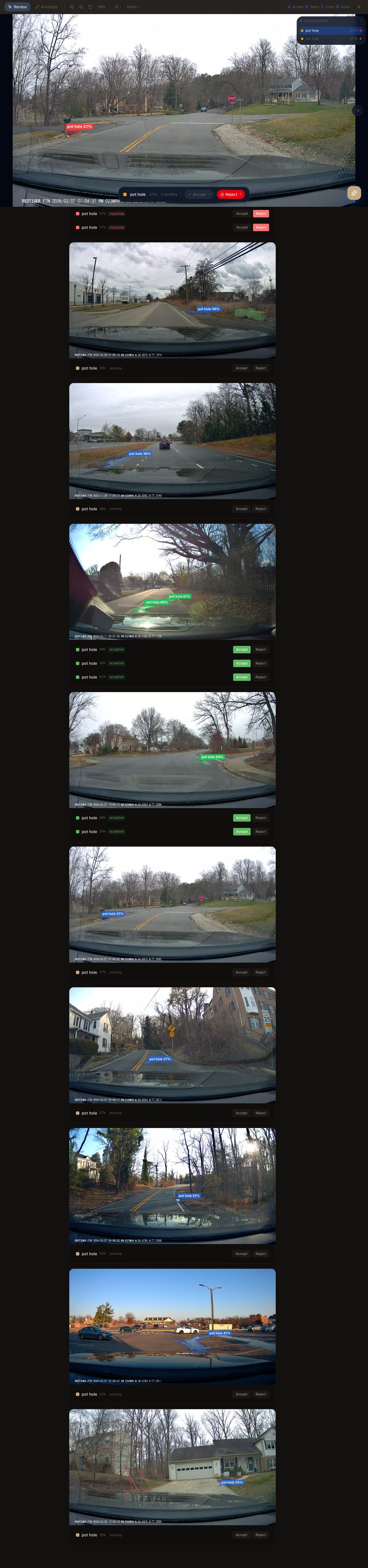
The review canvas shows each frame in the labeling job with overlaid boxes. Accept, reject, edit, or redraw — every action PATCHes back to the API and updates the dataset that downstream training will consume.
Keyboard shortcuts
| Key | Action |
|---|---|
J / K | Previous / next frame |
Space | Toggle play |
D | Delete the highlighted box |
Shift+drag | Draw a new box |
R | Reject the entire frame (excluded from export) |
Cmd/Ctrl+Z | Undo last edit |
1–9 | Quick-assign class by index |
Bulk operations
- Merge classes —
POST /api/v1/annotations/merge-classescollapses two class names into one across the whole job (e.g.truck+lorry→truck). - Delete a class — drops every annotation of a class from the job.
- Add a class — re-runs SAM 3 just for the new class without touching existing labels.
- Duplicate a job — clone with the same prompts as a starting point for a new run.
Stats panel
The right-hand drawer shows per-class counts, confidence histograms, and frames-per-class so you can spot imbalance early. Toggle the AI Insights tab to ask the agent for a written summary of the current job (see Agent).
Related API
POST /api/v1/label— start a labeling runPOST /api/v1/label/preview— sample a prompt before committingPATCH /api/v1/annotations/{id}— refine a single annotation