Upload Page
Route: /upload — Source: ui/src/pages/UploadPage.tsx
A focused page for getting raw footage into Waldo. The same drop zone is embedded on the Datasets page, but this view dedicates the whole canvas to the upload + import flow.
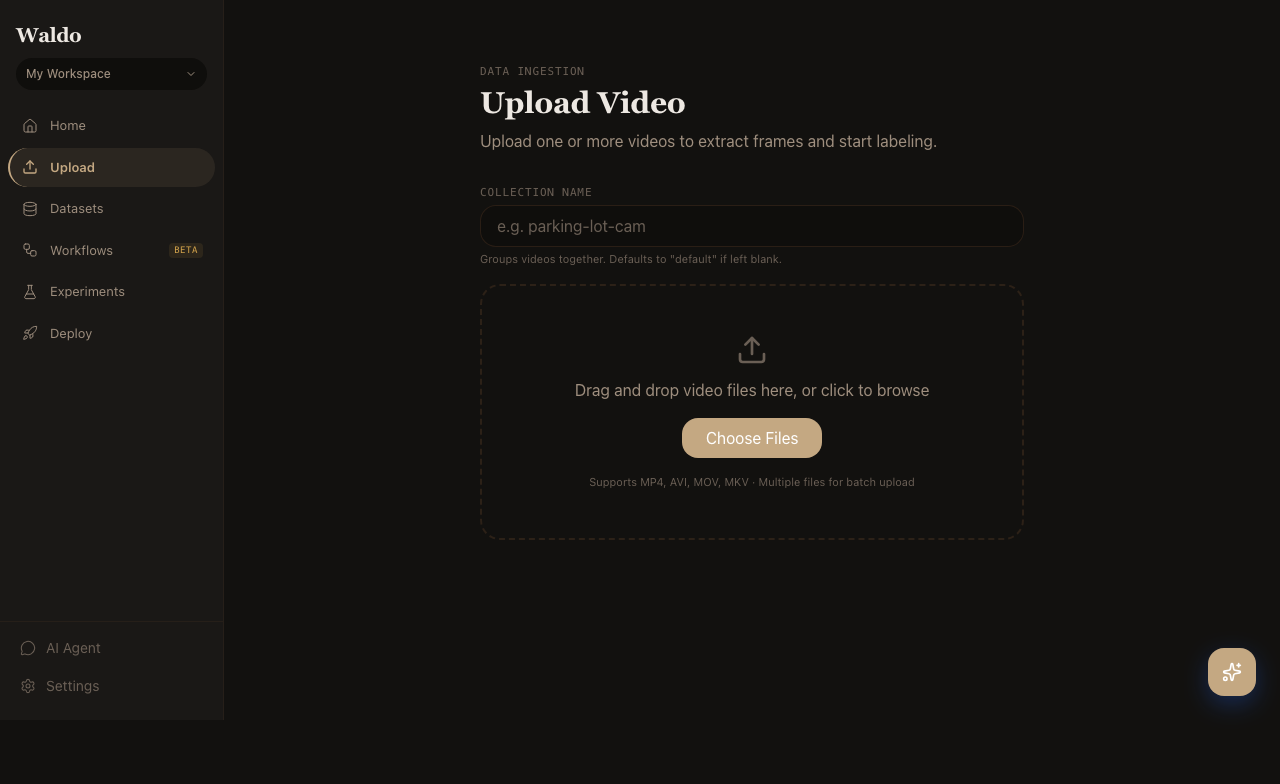
Three ways to ingest
| Mode | When to use |
|---|---|
| Drag-and-drop | Single video or a small batch from your laptop |
| URL list | One-off remote files (HTTP/HTTPS) |
| Link MinIO | Very large datasets that already exist in object storage — no copy, just register |
Supported formats
- Video:
.mp4,.mov,.mkv,.webm,.avi - Images:
.jpg,.png,.webp,.bmp(each becomes a one-frame video so the rest of the pipeline applies)
FFmpeg probes each file on upload and rejects anything it can't read. The probe also extracts duration, fps, and codec, which are stored on the Video row.
After upload
The frame extraction task runs automatically. Once frames are in MinIO, the video is ready to label — head to the Label page or POST /api/v1/label.