Dashboard
Route: / — Source: ui/src/pages/DashboardPage.tsx
The first thing you see after sign-in. A snapshot of your workspace and the most likely next action.
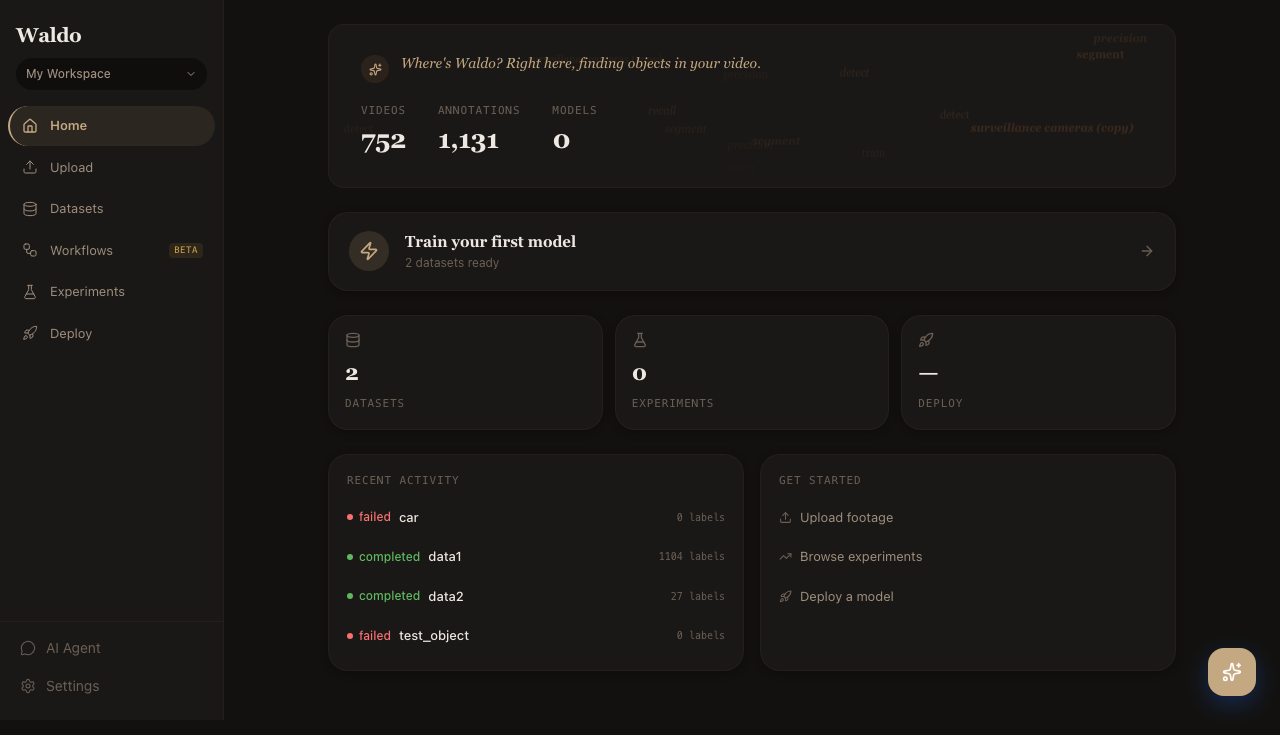
What's on the page
- Hero stats —
VIDEOS,ANNOTATIONS,MODELS. These are workspace-scoped, not project-scoped. - Next-step nudge — "Train your first model" / "Upload your first video" / etc., picked based on what's missing.
- Counters row —
DATASETS,EXPERIMENTS,DEPLOY— quick links into each section. - Recent activity — last few labeling and training jobs with their status badge.
- Get started — sticky shortcuts: upload footage, browse experiments, deploy a model.
The page is intentionally sparse. It exists so a brand-new user can get oriented in five seconds, and a returning user can jump straight to the thing they were last working on.